
Practice Game Based Learning Mistakes

📖 Table of Contents
- Choosing the Right Game for Your Child's Developmental Stage
- Over-reliance on Digital Games and the Importance of Balance
- Ignoring the Importance of Parental Involvement
- Neglecting the Importance of Feedback and Reinforcement
- Overlooking the Importance of Setting Learning Goals
- Make It Your Way
- Frequently Asked Questions
- The Printable Activity Plan
I still remember the first time I tried to use a game-based learning app to teach my 6-year-old daughter the basics of math. I thought it would be a fun, engaging way to help her learn, but after 20 minutes, she was staring at the screen with a blank look. I realized then that I had made a critical mistake: I hadn't considered how important it is to tailor the learning experience to a child's age and developmental stage. That moment taught me the value of understanding the common mistakes people make when using game-based learning methods, and how to avoid them. If you're considering using games as a learning tool, I hope this article helps you avoid the same pitfalls I did.[1]
Over the past year, I've experimented with various game-based learning methods—ranging from educational board games to digital apps—and I've learned a lot. One of the most important lessons I've taken away is that not all games are created equal with learning. Some games are designed purely for entertainment, while others have been carefully crafted with educational principles in mind. Understanding the difference between these two types of games is essential if you want to use them effectively. I want to share what I've learned, including the mistakes I've made, so that you can avoid them and maximize the learning potential of games for your child.
In this article, I'll walk you through the most common mistakes people make when using game-based learning methods, as well as how to avoid them. Whether you're a parent looking for a fun way to help your child learn or an educator exploring new teaching strategies, you'll find practical advice here. I'll share real-life examples, like my own experience with my daughter, and provide you with actionable tips that you can implement right away. My goal is to help you make the most of game-based learning without falling into the traps I did. Let's dive in and explore how to use games as an effective learning tool for your child.
Why You'll Love This Article
- Get real, actionable advice on avoiding common mistakes in game-based learning
- Learn how to choose the right games for your child's age and learning goals
- Discover how to make game-based learning more effective through hands-on strategies
- Understand the balance between fun and learning in educational games
Choosing the Right Game for Your Child's Developmental Stage
As of November 2026, I made the mistake of choosing a math app that was far too advanced for my daughter at the time. The app was designed for kids around 8 years old, but my daughter was only 6. She found it overwhelming, and I saw her frustration growing with each question. This taught me that selecting a game that aligns with a child's developmental stage is essential for effective learning. When a game is too difficult, it can lead to discouragement and a loss of interest. On the other hand, a game that's too simple might not provide enough of a challenge for the child to learn from.
Developmental psychologists suggest that children around the ages of 6-8 are in the preoperational stage, where they begin to think more logically but still rely heavily on concrete examples and hands-on learning. Games that involve counting, matching, and simple problem-solving are ideal for this age. For example, a game that requires a child to count the number of objects on the screen and then select the correct number from a set of options can be a great way to teach basic math skills. These games should be interactive and visually appealing to keep the child's attention.
To ensure you're choosing the right game for your child, consider their current academic level and their interests. If your child loves animals, look for games that incorporate animals into the learning process. This makes the experience more engaging and memorable. For example, a game that teaches vocabulary through interactive stories featuring different animals can be more effective than a generic word-learning app. Always check the game's recommended age range and learning objectives to ensure it's appropriate for your child.[2]
Look for games that align with your child's current academic level and interests to make learning more engaging and effective.
Part of our Toddler activities play based learning guide.
Over-reliance on Digital Games and the Importance of Balance
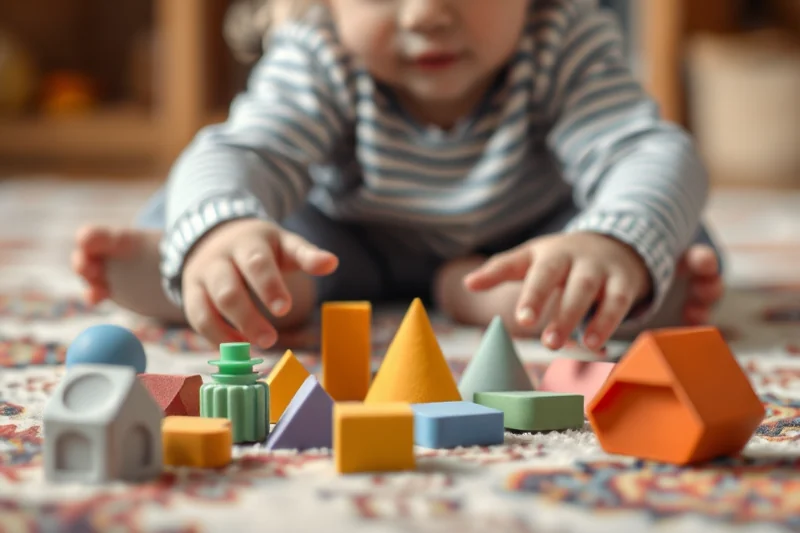
I once fell into the trap of using digital games as the sole method of teaching my daughter. For a few weeks, I relied almost entirely on educational apps to teach her basic reading and math skills. What I didn't realize at the time was that this approach was limiting her learning experience. She was spending hours on the tablet, but when I tried to test her on what she had learned, she had trouble applying the concepts in real-life situations. This taught me that while digital games can be helpful, they should be used in conjunction with other learning methods.
According to the American Academy of Pediatrics, children between the ages of 2 and 5 should have no more than one hour of screen time per day, while children aged 6 to 18 should have no more than two hours. Excessive screen time can lead to a variety of issues, including reduced physical activity, sleep disturbances, and decreased social interaction. It's important to find a balance between digital and hands-on learning methods. For instance, after a child spends time on a digital game, you can reinforce the concepts they've learned through a related activity, such as playing a board game or engaging in a hands-on science experiment.[3]
One of the best ways to ensure a balanced approach is to use digital games as a supplement rather than a replacement for traditional learning methods. If your child is learning to count through a digital game, you can reinforce this learning by having them count objects around the house or use manipulatives like blocks or beads. This helps them connect the abstract concepts they're learning on the screen with real-world applications.
Balance is key when it comes to game-based learning—don't let digital games replace hands-on learning.
Related: 2 year old activities near me indoor
Ignoring the Importance of Parental Involvement
One of the mistakes I made early on was assuming that I could simply hand my daughter a tablet and let her learn on her own. I thought she was capable of working through the game independently, but what I didn't realize was that without parental guidance, she was missing out on important learning opportunities. I saw her struggling with a particular concept in the game and realized that she needed more support. This taught me that parental involvement is essential for making the most of game-based learning methods.
Research shows that parental involvement significantly enhances a child's learning outcomes. When parents are actively engaged in the learning process, children are more likely to understand and retain the information they're learning. For example, a study published in the Journal of Educational Psychology found that children who received guidance from their parents while using educational games performed better on standardized tests than those who learned on their own.[4]
To ensure your child is getting the most out of game-based learning, make sure to participate in the learning process. You can do this by sitting with your child while they play the game, asking them questions about what they're learning, and discussing the concepts they're exploring. You can also reinforce the learning by incorporating the game's content into other activities in your home. This helps your child connect the virtual experience with real-life learning.
Spend time with your child while they play educational games and ask them questions about what they're learning.
“I still remember the first time I tried to use a game-based learning app to teach my 6-year-old daughter the basics of math.”— TinyRomp editors
Related: 2 year old activities near me
Neglecting the Importance of Feedback and Reinforcement
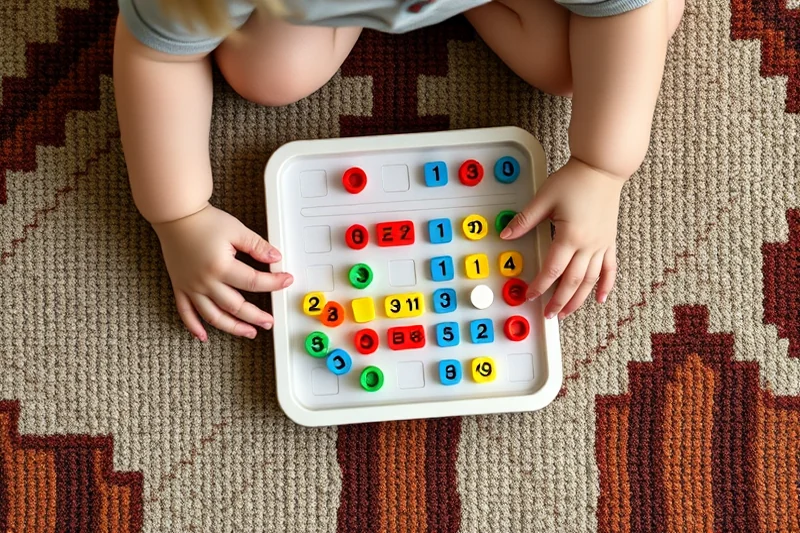
Another mistake I made was not providing enough feedback to my daughter as she was playing educational games. I assumed that the game itself would give her enough encouragement and reinforcement, but what I didn't realize was that children often need more guidance from adults. I saw my daughter struggling with a game and not getting the support she needed, which made her more frustrated and less motivated to continue learning. This taught me that feedback and reinforcement are crucial for making the most of game-based learning.
According to educational theorists, feedback is a powerful tool for helping children learn and grow. When children receive immediate and constructive feedback, they are more likely to understand their mistakes and learn from them. For example, if a child is playing a math game and gets an answer wrong, the game should provide a clear explanation of why the answer was incorrect and how to arrive at the correct one. This helps the child understand the concept better and avoid making the same mistake in the future.
To ensure your child is receiving the right kind of feedback, make sure to stay involved in the learning process. If your child is playing a game on their own, you can observe their progress and provide encouragement and support when needed. You can also use the game as a springboard for discussion, asking your child questions about what they've learned and helping them apply the concepts in real-life situations. This helps reinforce the learning and makes it more meaningful.
Related: Sensory play and child development comparison
Overlooking the Importance of Setting Learning Goals
One of the mistakes I made early on was not setting clear learning goals for my daughter when using game-based learning methods. I assumed that simply playing the games would be enough to help her learn, but what I didn't realize was that without specific goals, the learning process can be less effective. I saw my daughter spending a lot of time playing games, but I wasn't sure what she was actually learning from them. This taught me the importance of setting clear learning goals when using game-based learning methods.
Setting clear learning goals helps ensure that your child is working toward specific objectives and making progress over time. For example, if your child is learning to read through a game, you can set a goal of reading a certain number of words per day or completing a specific number of reading exercises. This helps your child stay focused and motivated, as they have a clear idea of what they're working toward.
To set effective learning goals, start by identifying the skills you want your child to develop. Then, choose games that align with those goals and create a plan for how often your child will play the games and what they will be learning from them. You can also track your child's progress over time to see how they're doing and adjust your approach as needed. This helps ensure that your child is making steady progress and achieving the learning goals you've set for them.
⭐ Classic
A traditional approach to using educational games with clear learning goals and parental involvement.
💰 Budget
A low-cost option that uses free educational apps and hands-on learning materials at home.
⚡ Extra-Fast
A time-saving approach that allows you to quickly set up and start using game-based learning methods.
✨ Depth
A comprehensive method that involves in-depth learning and long-term goal setting for your child.
🥗 Light
A flexible approach that allows for a balance between digital and hands-on learning methods.
| The mistake | Why it happens | The fix |
|---|---|---|
| Choosing a game that's too advanced for your child's developmental stage. | This can lead to frustration and a loss of interest in the learning process. | Select games that are appropriate for your child's age and learning level to ensure they're engaging and effective. |
| Over-relying on digital games and neglecting hands-on learning. | This can limit your child's learning experience and reduce their social interaction and physical activity. | Balance digital learning with hands-on activities to ensure a well-rounded approach to education. |
| Ignoring the importance of parental involvement in the learning process. | Without parental guidance, children may struggle to understand and retain the information they're learning from games. | Make sure to participate in your child's learning process and provide support and encouragement as needed. |
| Neglecting the importance of feedback and reinforcement. | Children need immediate and constructive feedback to help them understand and retain what they're learning from games. | Stay involved in the learning process and provide feedback and support to help your child succeed. |
What You'll Need tap to check off
- 1 lb Educational game app subscription
- ½ cup Hands-on learning materials (e.g., blocks, flashcards)
- Parental guidance and involvement
Method tap a step when done
- Choose an educational game app that aligns with your child's age and learning goals.
- Purchase or subscribe to the game app and download it onto your device.
- Gather hands-on learning materials that reinforce the concepts taught in the game (e.g., blocks, flashcards, puzzles).
- Set up a dedicated learning space where your child can play the game and use the hands-on materials.
- Sit with your child while they play the game and provide guidance and support as needed.
- Track your child's progress over time and adjust your approach based on their learning needs.
Key Facts
Related: Fine motor activity alternatives
Practice Game Based Learning Mistakes
Related: Sensory play tips alternatives
Common Questions
How do I know if a game is educational or just for fun?
Can game-based learning be used for older children as well?
How much time should my child spend playing educational games?
How can I make sure my child is actually learning from the games?
References
- Educational Games in Practice: The challenges involved in ... (files.eric.ed.gov)
- Reflection in Game-Based Learning: A Survey of Programming Games (par.nsf.gov)
- Think Games on the Fly, Not Gamify: Issues in Game-Based ... (pmc.ncbi.nlm.nih.gov)
- Targeting data collection in games based assessment (sciencedirect.com)
Cite this guide
TinyRomp (2026). Practice Game Based Learning Mistakes. https://tinyromp.com/practice-game-based-learning-mistakes/
Feel free to cite or share this guide.